OctoDoc
IRS Form W-9
Source: Internal Revenue Service
1. Name
2. Federal tax classification
3. Certification
About
Upload documents, prepare who signs, and get on with life.
The whole path
OctoDoc keeps the work together from source file to signed PDF. You stay in control at every step.
IRS Form W-9
Internal Revenue Service
OctoDoc
Source: Internal Revenue Service
1. Name
2. Federal tax classification
3. Certification
Upload a PDF, confirm and review a Word-to-PDF conversion, or choose a source-checked reusable PDF form.
Add the people, place their fields on the real pages, set the order, and check the outgoing file before anyone sees it.
Each person opens one secure link, reads the whole document, completes only their fields, and reviews before signing.
After the final signature, the sender and every signer keep the same signed file.
Upload and review
A PDF keeps its source pages. A Word file asks before conversion, then waits for your explicit approval before preparation.
Ask about the document
Ask Octo answers supported factual questions with the exact passage and page it used.
Use a reviewed form
Choose a reusable PDF form by issuer and source. OctoDoc checks its stored digest before opening a private copy.
A Word file stays in your browser until you select Convert to PDF. The result cannot move forward until you inspect every page and select Use this PDF.
Prepare and send
Add the people who need to sign, assign their fields, set the order, and inspect the outgoing document before anyone receives it.
Send documents for signature with a username. Choose the person, review the document, then send.
Place signatures, initials, dates, names, emails and text fields on the real pages. A person places and confirms every field — not an automatic layout.
Before a file goes out, the confirmation lists every signer and every person on copy by name and by the exact address their email goes to. When you send, OctoDoc freezes the version you reviewed. Resending cannot swap a different document under an open signing session.
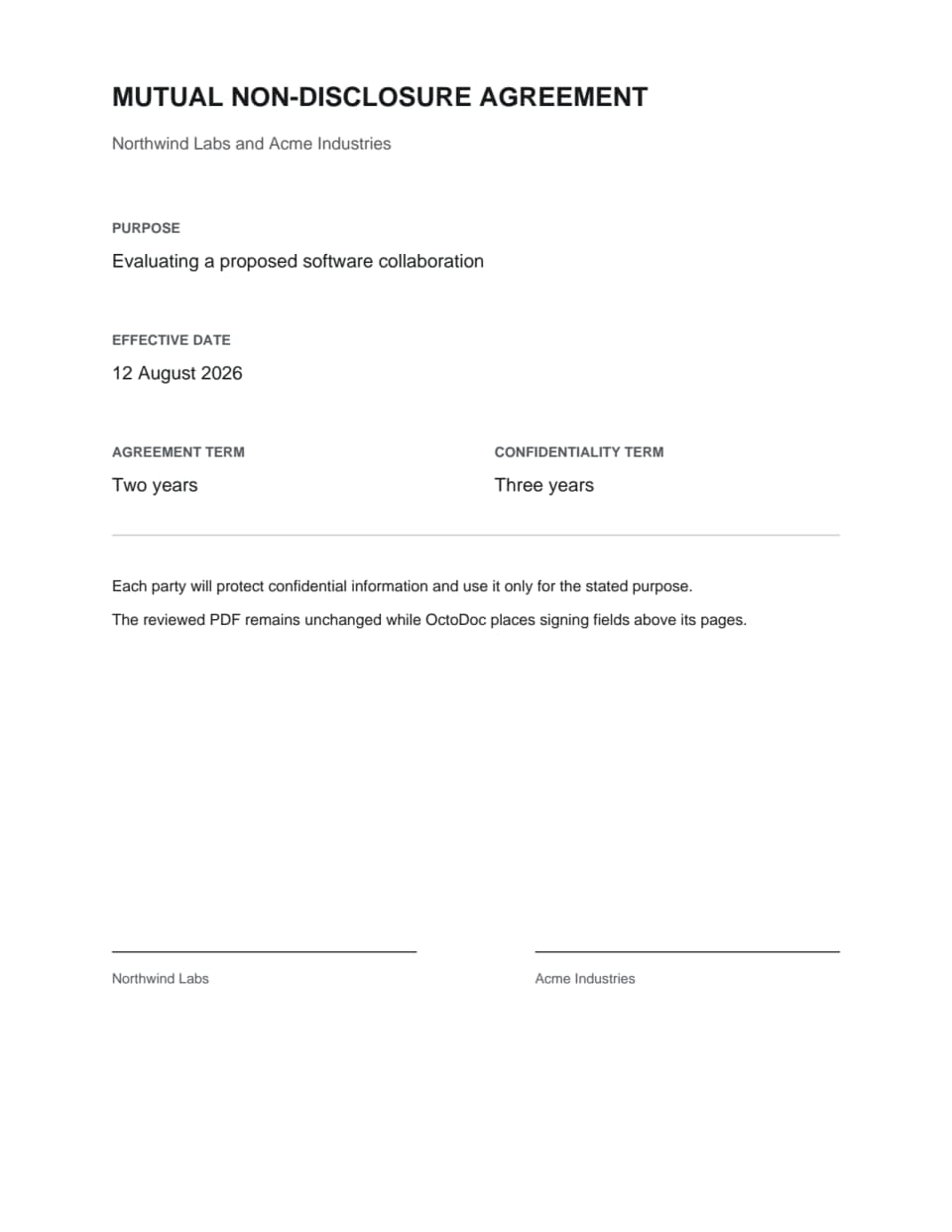
Real fixture document · PDFium page render
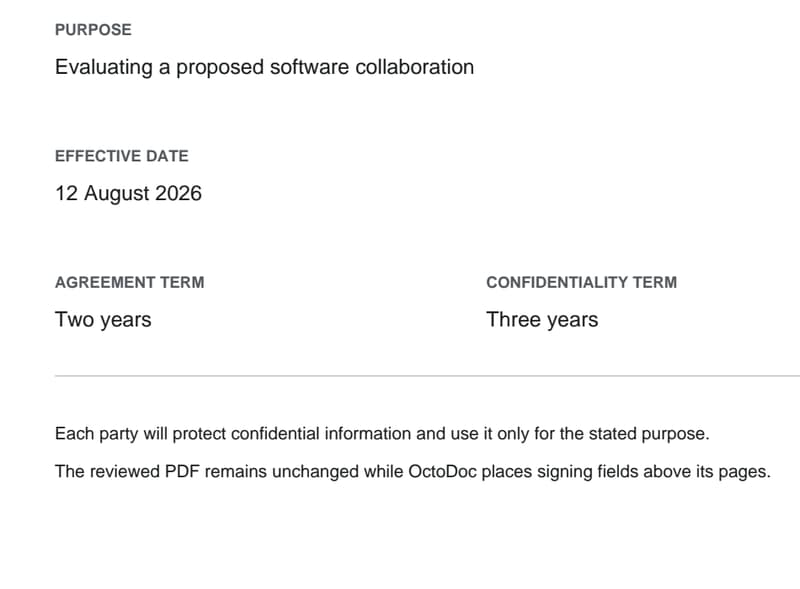
Measured crop
Purpose and dates
The highlighted region of page 1, cut from the same page render at higher resolution.
Review and sign
Nothing to install. Each invited person uses one free account for every verified email address that receives a request.
The signer can read every page, download or print the file, and move only between fields assigned to them. They can type a signature or draw one.
A separate review step catches missing fields before the final action. An expired invitation or a changed document stops the session instead of producing a partial result.
Product preview · 32 seconds
Seal and return
When the last signer finishes, OctoDoc seals the file once. The sender and every signer get access to that result.
Only the fields people approved enter the frozen PDF. Ask Octo answers and citations never become part of the signed file.
The sender can see who is waiting, who has signed, and where to download the signed PDF.
OctoDoc describes the cryptographic result it produces. It does not promise that a court will accept a particular agreement.
What you keep
Your account keeps the signed file available under the published retention period. You can download it, store it, and check its signature in a normal PDF reader.
The signed file
The PDF contains the document, the marks each person approved, and the signing-record pages sealed with it.
The current limit
Anyone can check a sealed file’s digest at octodoc.org/verify, and the record of signing downloads with the sealed PDF. The PDF itself carries no long-term validation material.
Not expecting this?
The invitation names the sending organization and the document. If either is unfamiliar, do not continue from the link.
Use another channel
Contact the sender through an address or phone number you already trust. You can decline after opening the request, and signing never starts automatically.
Technology
The ingestion path keeps the exact file. What sets OctoDoc apart is that a person, and an agent beside them, can reach that same file from the surface they already use.
Ingestion
Upload a PDF or Word file, or choose a source-checked reusable PDF form. A PDF keeps its source pages. A Word file asks before conversion, then waits for an explicit page review. A reusable form must match its reviewed digest before a private file is created. The server re-measures every confirmed mark against the stored pages. Nothing a model writes can enter the bytes that are sealed.
Every surface
That file is prepared in the workspace and opened by a signer. Anyone can check a sealed file with no account, and even offline. With separate consent, Slack can say what is waiting in any workspace where an owner added the OctoDoc app. A forwarded email from a verified, opted-in address becomes a private review. The installed CLI can review, summarize, and verify with no account. A typical e-signature suite stops once it has collected a mark. Questions leave for email, and the record stays in the vendor’s account.
Agents
The CLI reviews, summarizes, and verifies files you provide, and a signed-in CLI prepares, sends, and signs them. Machine identity alone supplies no transaction authority. An answer with no matched passage and page is not shown as a citation.
Send documents for signature with a username. Choose the person, review the document, then send.
Anatomy
Source
Intake
Upload a PDF or Word file, or choose a source-checked reusable PDF form.
Page geometry
Every page's size and rotation are measured at ingestion and stored. Nothing downstream re-guesses them.
Immutable versions
Each prepared file is a numbered, immutable version. A change is a new version, never an edit in place.
PDF pages stay byte-exact · a Word file converts once, then you review every page
Preparation
The measured box
A mark is a rectangle in PDF user space, measured against the page's real size. The model can select a measured box. It never invents one.
The confirmation
A person confirms every placement before it counts. An unconfirmed suggestion never reaches the send.
Covered text
A mark that covers body text is refused with the exact covered passage, and only the sender can overrule it.
Coordinates in PDF points · origin bottom-left · re-measured at send
Answers
The cited answer
Ask a factual question and get the exact passage that answers it, with its page.
The grounding rule
An answer with no matched passage and page is not shown as a citation.
The boundary
Ask Octo answers and prepares. It cannot rewrite, draft, or replace document text, and its output never enters the signed bytes.
Deterministic passage selection · the page number is stored with the answer
The send
The server's digest
The send digest is recomputed on the server from the stored pages and confirmed marks. A mismatch is a refusal, not a warning.
Single use
The digest is locked and consumed once, inside the send transaction.
No bearer authority
A bearer credential alone never authorizes a send or a signature. A binding act needs the transaction digest plus an attended confirmation, or an explicit mandate that covers that digest.
Geometry re-measured server-side · one digest, one send
Signing
The free account
Signer accounts are free. The account proves control of the invited address and gives every returned document one place to live.
The verified address
Every signing authorization resolves through a verified address. An unverified alias is never authoritative.
The glyph preflight
A typed signature renders only from faces that cover every character. The seal refuses rather than substituting glyphs.
Nothing to install · the other side signs in the browser
The seal
The flatten
The approved pages are flattened and hashed. What is sealed is exactly the file a person approved — a model never mutates the signed bytes.
The signature
One detached CAdES signature over the whole byte range, with an RFC 3161 signature timestamp. PAdES B-T.
The refusal
The seal refuses rather than degrades: a glyph that cannot render stops the seal, and confidence is a measurement, never a constant.
Validated independently by pyHanko · check it in a normal PDF reader, offline
The record
The chained ledger
Each event is linked to the one before it. Remove or change a step and the chain shows it.
The stored file
Evidence writes are content-addressed and never overwritten. The ledger and the proof manifest show a deletion or a replacement.
The public check
Anyone can check a sealed file with no account, and even offline.
SHA-256 over each event and its predecessor · /verify needs no account
Payment
The Payment mark
Place a Payment mark on the page and the person it names pays you through Stripe after everyone signs.
After the seal
Checkout opens only after the seal lands, for the person the mark names. The signature never waits on the money.
The flat fee
On each payment, OctoDoc's fee is 0.5 percent, capped at $25, on every plan. The payer is charged the amount you set and nothing more.
Paid on your own Stripe account · the payer pays you, not OctoDoc
Features
Prepare a document, send it, and sign it — with answers that point at the page, a signer surface that costs nothing, and a record you can check without asking us. Built first for independent contractors, agencies and startups; sized for any team that wants the same candor.
Who it is for
The early work went where agreements are constant and the paperwork is nobody's job: independent contractors, agencies and studios, and startups sending their first contracts and offer letters.
Where we started
A contractor or agency sends statements of work, master agreements and change orders every week, and the signed file is what lets the invoice go out. A startup sends offer letters, contractor agreements and mutual NDAs while nobody owns the paperwork. Those are the jobs the upload path, form catalog, and pricing were shaped around.
Who else it fits
Nothing here is capped by company size. Larger firms use the same sending, the same seal and the same free signer accounts, and add senders as the team grows. The security posture publishes every control and its evidence so a reviewer can check without a sales call.
The document that answers
Ask Octo answers supported factual questions from the document you uploaded, while you prepare it and while the other side reads it.
Ask the file
Ask a factual question and get the exact passage that answers it, with its page. Open its page and read the surrounding terms yourself.
The refusal is the feature
An answer with no matched passage and page is not shown as a citation. A general chatbot in another window can produce a fluent answer about any PDF. It cannot bind its answer to this stored passage and page, or refuse because no passage matched.
Start with the file
Upload a PDF or Word file, or choose a source-checked reusable PDF form. The PDF stays visible while you prepare fields and signers.
One account, every document
Every document you have sent or signed, with its versions, in one account.
Get paid after signing
Place a Payment mark on the page and the person it names pays you through Stripe after everyone signs. On each payment, OctoDoc's fee is 0.5 percent, capped at $25, on every plan. The payer is charged the amount you set and nothing more. Signing never waits on payment.
For the person signing
Most signing products are built for the sender alone. The person asked to sign gets a link, a box, and no way to ask anything. OctoDoc treats that person as the second customer.
Signing costs nothing
Signer accounts are free. No plan, no card, no trial that converts into a charge. An account exists so the record can name who acted, not so anyone can bill you.
Your questions have a destination
Ask a supported factual question before you sign and get the exact passage and page that answer it. Ask the sender directly when the document cannot answer; OctoDoc will not send the question automatically.
Your documents are not training data
Every model request requires zero-data-retention and prompt-training opt-out. That is an application control on every generated-text request, and executed zero-data-retention terms on the two closed-set judgments, not a promise in a terms update.
You keep the sealed file
Every party can download the sealed PDF, its evidence archive, and the terminal proof file from their account once assembly completes. What you signed does not live behind someone else's subscription.
Why signing uses an account
A forwarded signing email is not enough to sign. Signing needs an account that has confirmed the invited address. Signing requests sent to any address you have verified appear in one account.
Compared
No vendor is named because plans change; the left column describes the category's common practice, and every line in the right column is a registered, supportable claim or a published decision.
A place to collect a mark. Questions leave the product and go to email.
A free account, a cited answer on the page, and the sealed PDF to return to.
A fluent paraphrase with no obligation to show where it came from.
An answer quotes the page it came from, or it is not shown as a citation.
A signing record that lives in the vendor's account and is shown on request.
One signature covers every byte you approved. Anyone can check it in a normal PDF reader, offline.
Training permissions have arrived by terms update, mid-relationship.
Every model request requires zero-data-retention and prompt-training opt-out.
Pricing
Free sends with no monthly limit. Team is $99 a workspace each month, or $950 a year, and keeps signed records for 7 years. Membership is free on both plans, however many people your workspace holds, and signer accounts are free.
What scales with price
Document retention, the sending pace of a new workspace, and administration.
What never scales with price
How many files you send each month, free signer accounts, the number of people in your workspace, the number of marks on a file, the review step before signing, and access to the signed PDF.
Sending
Preparation and review
Records and administration
Sending
Preparation and review
Records and administration
Form catalog
Search by keyword, or jump to a category from the rail. Every choice names its issuer and links to the source we reviewed, and this is the same catalog New Document searches.
70 source-checked forms open inside the same private preparation path as your own PDF.
70 reusable forms
Internal Revenue Service
Request for taxpayer identification number and certification.
6 pages · 23 fillable fields · Issuer source
Internal Revenue Service
Employee withholding certificate.
5 pages · 48 fillable fields · Issuer source
Internal Revenue Service
Power of attorney and declaration of representative.
2 pages · 87 fillable fields · Issuer source
Internal Revenue Service
Tax information authorization.
1 page · 40 fillable fields · Issuer source
Internal Revenue Service
IVES request for transcript of tax return.
2 pages · 70 fillable fields · Issuer source
Internal Revenue Service
IRS e-file signature authorization.
2 pages · 20 fillable fields · Issuer source
Internal Revenue Service
Certificate of foreign status of beneficial owner.
1 page · 23 fillable fields · Issuer source
Internal Revenue Service
Application for employer identification number.
2 pages · 89 fillable fields · Issuer source
Internal Revenue Service
Return of organization exempt from income tax.
12 pages · 1062 fillable fields · Issuer source
Internal Revenue Service
Installment agreement.
4 pages · 162 fillable fields · Issuer source
Reviewed employment terms with visible jurisdiction-specific decisions.
3 pages · 37 fillable fields · Issuer source
U.S. Citizenship and Immigration Services
Employment eligibility verification.
4 pages · 130 fillable fields · Issuer source
U.S. Office of Personnel Management
Declaration for federal employment.
3 pages · 55 fillable fields · Issuer source
U.S. Office of Personnel Management
Appointment affidavits.
1 page · 13 fillable fields · Issuer source
U.S. Office of Personnel Management
Statement of prior federal service.
2 pages · 42 fillable fields · Issuer source
U.S. Office of Personnel Management
Self-identification of disability.
2 pages · 4 fillable fields · Issuer source
U.S. Office of Personnel Management
Designation of beneficiary for unpaid compensation.
4 pages · 60 fillable fields · Issuer source
U.S. Office of Personnel Management
Health benefits election form.
18 pages · 106 fillable fields · Issuer source
U.S. Office of Personnel Management
Life insurance election form.
5 pages · 61 fillable fields · Issuer source
U.S. Department of Veterans Affairs
Certification that a trainee finished the VA CPRS computer tutorial.
1 page · PDF of the issuer's Word form, with 4 fillable fields added by OctoDoc · Issuer source
U.S. Environmental Protection Agency
Respirator qualitative fit-test record with the examiner's certification.
1 page · PDF of the issuer's Word form, with 45 fillable fields added by OctoDoc · Issuer source
U.S. Department of Agriculture
Application for employment in a county Farm Service Agency office.
4 pages · PDF of the issuer's Word form, with 236 fillable fields added by OctoDoc · Issuer source
U.S. Department of Veterans Affairs
Request and authorization to release health information.
2 pages · 57 fillable fields · Issuer source
U.S. Department of Veterans Affairs
Individual request for a copy of health information.
1 page · 43 fillable fields · Issuer source
U.S. Department of Veterans Affairs
Authorization to disclose information to the Department of Veterans Affairs.
5 pages · 134 fillable fields · Issuer source
U.S. Department of Veterans Affairs
Claim for reimbursement of travel expenses.
2 pages · 32 fillable fields · Issuer source
U.S. Department of Veterans Affairs
Application for the family caregiver program.
6 pages · 91 fillable fields · Issuer source
U.S. Department of Veterans Affairs
Advance directive for health care.
2 pages · 1 fillable field · Issuer source
U.S. Department of Veterans Affairs
Credentialing release of information authorization.
1 page · 5 fillable fields · Issuer source
U.S. Department of Veterans Affairs
Request for access to the patient record system.
1 page · 8 fillable fields · Issuer source
Centers for Medicare & Medicaid Services
Medicare notice that an item or service may not be covered, with the beneficiary's choice.
1 page · 9 fillable fields · Issuer source
U.S. Department of Agriculture
Authorization for the Farm Service Agency to release a producer's records to a third party.
1 page · PDF of the issuer's Word form, with 36 fillable fields added by OctoDoc · Issuer source
U.S. Department of Housing and Urban Development
Sales contract for HUD property disposition.
3 pages · 50 fillable fields · Issuer source
U.S. Department of Housing and Urban Development
Lead-based paint addendum for 203(k) rehabilitation financing.
1 page · 12 fillable fields · Issuer source
U.S. Department of Housing and Urban Development
Addendum to the uniform residential loan application.
4 pages · 46 fillable fields · Issuer source
U.S. Department of Housing and Urban Development
Borrower's contract about hotel and transient use of property.
1 page · 7 fillable fields · Issuer source
U.S. Department of Housing and Urban Development
Warranty of completion of construction.
2 pages · 17 fillable fields · Issuer source
U.S. Department of Housing and Urban Development
Builder's certification of plans, specifications, and site.
3 pages · 81 fillable fields · Issuer source
U.S. Department of Housing and Urban Development
Discount sales addendum to a HUD sales contract.
4 pages · 21 fillable fields added by OctoDoc · Issuer source
U.S. Department of Housing and Urban Development
Compliance inspection report for FHA-insured construction.
2 pages · 97 fillable fields added by OctoDoc · Issuer source
U.S. Department of Housing and Urban Development
Mortgagee's assurance of completion, in its five-part set.
5 pages · 107 fillable fields added by OctoDoc · Issuer source
U.S. Department of the Treasury
Direct deposit sign-up for Treasury securities payments.
1 page · 23 fillable fields · Issuer source
U.S. General Services Administration
Direct deposit sign-up form.
4 pages · 210 fillable fields · Issuer source
U.S. General Services Administration
Claim for damage, injury, or death.
2 pages · 36 fillable fields · Issuer source
U.S. Department of Veterans Affairs
Statement in support of a VA claim.
2 pages · 30 fillable fields · Issuer source
U.S. Department of Veterans Affairs
Application for disability compensation and related benefits.
15 pages · 388 fillable fields · Issuer source
U.S. Department of Veterans Affairs
Application for survivor benefits and pension.
20 pages · 671 fillable fields · Issuer source
U.S. Department of Veterans Affairs
Application for increased compensation based on unemployability.
4 pages · 186 fillable fields · Issuer source
U.S. Department of Veterans Affairs
Statement in support of a claim for post-traumatic stress disorder.
7 pages · 130 fillable fields · Issuer source
U.S. Department of Veterans Affairs
Certificate of residence and heirs of a deceased veteran.
5 pages · 183 fillable fields · Issuer source
U.S. Department of Education
Public Service Loan Forgiveness and Temporary Expanded PSLF employer certification and application.
16 pages · 36 fillable fields · Issuer source
U.S. Department of Veterans Affairs
Intent to file a claim for compensation, pension, survivors pension or DIC.
2 pages · 57 fillable fields · Issuer source
U.S. Department of Education
Application to discharge federal student loans because of school misconduct.
39 pages · 272 fillable fields · Issuer source
U.S. Department of Education
Request to defer federal student loan payments during cancer treatment.
3 pages · 28 fillable fields · Issuer source
U.S. Department of Education
Request to defer federal student loan payments during economic hardship.
4 pages · 29 fillable fields · Issuer source
U.S. Department of Education
Request to pause or reduce federal student loan payments for a time.
4 pages · 25 fillable fields · Issuer source
U.S. Department of Education
Request to defer federal student loan payments during a graduate fellowship program.
4 pages · 41 fillable fields · Issuer source
U.S. Department of Education
Request to defer federal student loan payments during a rehabilitation training program.
4 pages · 35 fillable fields · Issuer source
U.S. Department of Education
Application to forgive federal student loans after qualifying teaching service.
14 pages · 50 fillable fields · Issuer source
U.S. Department of Education
Request to defer federal student loan payments while unemployed.
4 pages · 32 fillable fields · Issuer source
U.S. General Services Administration
Solicitation, offer, and award form.
1 page · 84 fillable fields · Issuer source
U.S. General Services Administration
Amendment of solicitation or modification of contract.
2 pages · 48 fillable fields · Issuer source
U.S. General Services Administration
Solicitation, contract, and order for commercial products and services.
2 pages · 275 fillable fields · Issuer source
U.S. General Services Administration
Solicitation, offer, and award for construction.
2 pages · 82 fillable fields · Issuer source
U.S. General Services Administration
Award and contract form.
1 page · 87 fillable fields · Issuer source
U.S. General Services Administration
Bid bond form.
4 pages · 97 fillable fields · Issuer source
U.S. Department of Veterans Affairs
Certification of a drug-free workplace for grant recipients.
2 pages · 7 fillable fields · Issuer source
U.S. General Services Administration
Questionnaire for non-sensitive federal positions.
8 pages · 457 fillable fields · Issuer source
U.S. Department of Veterans Affairs
Research office review request for an incoming material transfer agreement.
2 pages · PDF of the issuer's Word form, with 60 fillable fields added by OctoDoc · Issuer source
U.S. Environmental Protection Agency
Initial notification for 40 CFR 63 subpart XXXXXX area sources, with the owner's certification.
6 pages · PDF of the issuer's Word form, with 36 fillable fields added by OctoDoc · Issuer source
Source review
OctoDoc stores an exact reviewed copy, verifies its digest before use, and keeps the issuer link beside the choice.
Exact bytes
The catalog file must match its reviewed SHA-256 before OctoDoc creates a private file.
Current requirements
Issuers can change forms and filing rules. Open the linked source and confirm the current requirements before use.
Using a form
A catalog form follows the same field preparation, signer assignment, review, send, signature, return, and verification path as an uploaded PDF.
Your decision
OctoDoc does not choose a form or interpret its requirements. It is software, not a lawyer, and it is not a substitute for the advice of an attorney.
Product preview · 27 seconds
Agents and the CLI
The OctoDoc CLI inspects files you already hold with no account. Signed in, it prepares, sends and signs from the same account as the web, and a person authorizes every binding act.
Local tools
Install the CLI with one command, add it to the agent you already use, then run three local commands on files you provide.
Install
curl -fsSL https://octodoc.org/install | shFor macOS on Apple silicon and Linux on x86-64. The script installs nothing unless the download matches its published SHA-256.
Sign in
octodoc loginOpens your browser to approve this computer. Login never creates an account; the local tools below need none.
Inspect exact PDF bytes without an account, network request, or model call.
Request a cited model summary after choosing the party whose perspective matters.
Compare a sealed PDF with an independently obtained digest, or replay a local ledger bundle.
Review locally
octodoc <file.pdf> review [--json]The result records the exact digest, page geometry, fields, structural signature facts, fonts, and signability reasons.
Choose machine output
The default output is TOON. Add --json only when another program needs JSON.
Both formats describe the same local result. Structured output goes to stdout; progress and disclosures use stderr.
Add it to Claude Code
claude plugin marketplace add 8bittts/OctoDoc-Pluginclaude plugin install octodoc@octodocOne skill that drives the command line above, from a public repository. It declares no server of its own, and does nothing until the command line is installed.
Add it to Codex
codex plugin marketplace add 8bittts/OctoDoc-Plugincodex plugin add octodoc@octodocThe same bundle, from the same repository, read through the portable manifest beside the first rather than a second copy.
Walkthrough · 29 seconds
Model boundary
Summarization is separate from deterministic review. It sends bounded canonical document text through Vercel AI Gateway and labels every model-selected result.
Disclosed network command
octodoc <file.pdf> summarize --party <role> [--json]The command requires a supported party perspective. Its cited summary is model output and is not a substitute for reading the complete document or for the advice of an attorney.
Verification
The local verifier checks evidence you already possess. It does not look up a hosted OctoDoc record.
Sealed PDF
octodoc verify --sealed <file.pdf> --sha256 <hex>Obtain the digest independently. The structural signature-field result is not a certificate, trust, revocation, or legal-validity verdict.
Ledger bundle
octodoc verify --ledger <bundle.json>The verifier checks the bounded bundle, hash chain, Merkle proof, and RFC 3161 evidence against the selected local trust anchors.
Slack
A workspace owner adds the OctoDoc app to Slack. Each person links their own account, and with a separate consent the app answers in their direct messages. Preparing, sending and signing finish on the web.
Product preview · 38 seconds
Linking stores only what the Slack section of the Privacy Policy lists. Read what Slack stores.
Security
The sealed file, the record, where data lives, and how each is handled. Built for a security review you can deep-link.
The sealed file
One signature covers every byte you approved. Change anything later and the signature breaks. Check it in a normal PDF reader, offline, with no account and nothing of ours in the path.
The seal is a detached CAdES signature over the whole file, applied in-process when the document is sealed. The signing identity lives as a function environment secret.
What a reader sees: the signature covers the document, and it carries an RFC 3161 timestamp from DigiCert attesting when it was made. The issuer is self-managed, so a PDF reader will not mark it as trusted automatically — verification uses the proof file and the CLI instead.
Before seal, OctoDoc checks every mark for missing font glyphs. When an already-out legacy authored request reaches its last-signer seal, OctoDoc also compares its extracted text with its frozen source text. A failed check produces no artifact.
Validated by an independent library in CI — the code that seals never verifies its own output
The record
Each event links to the one before it. Remove or change a step and the chain shows it.
The ledger is written through one bounded database function. There is no update path and no delete path for a tenant. A missing step is visible, not deniable.
Chain heads are anchored to an external RFC 3161 timestamp authority, DigiCert, on a five-minute schedule, and each response is archived with its certificate chain and a per-file audit path. The signing path fetches its own RFC 3161 timestamp from the same authority on every seal.
The ledger never goes to a logging or analytics vendor. Neither do document bytes or party personal data. No observability vendor is connected today.
Where data lives
One United States region. Private storage. Content-addressed writes that refuse overwrite.
Every browser-facing surface is HTTPS only. The domain is submitted to the HSTS preload list and every response carries a preload Strict-Transport-Security header; once the listing ships in browsers, plain HTTP is refused before a request is made. Document bytes sit in private object storage. A browser reaches them only with a scoped, expiring grant. Bytes pass through the application only while a file is prepared, flattened or sealed.
Evidentiary writes are tenant-prefixed, content-addressed and refuse overwrite. A duplicate finalize converges on one artifact, and a replacement is detectable.
OctoDoc records how a person reads a file — time on each page and how far they scroll — only after they allow it. A browser's Global Privacy Control signal counts as a no. OctoDoc takes no device, canvas, font or TLS fingerprint from anyone, whether or not they allow reading measurement. Signing itself records the IP address and user-agent string as evidence, and section 3.2 of the privacy notice lists every field it keeps.
An organization’s region is fixed at creation and cannot change later. Retention and deletion — including what survives an erasure request and why — live in the privacy notice, not in a summary that can go stale.
Privacy notice, sections 5 and 7 — published, indexable, no account required
Model calls
Every model request requires zero-data-retention and prompt-training opt-out.
That control is set on every model call the application makes: zero-data-retention required, routing restricted to the providers named for that call. Anthropic, through the Vercel AI Gateway, receives every generated-text request, and the response names the host that served. TypeSafe receives two closed-set judgments and answers each with a probability, under executed zero-data-retention terms. The send-policy check itself reaches no model: it is a fixed set of rules run over the outgoing file's own text. The Vercel and Anthropic agreements covering these model surfaces were executed on 1 September 2026 and are filed with OctoDoc's own records.
Nothing a model produces can reach the signed bytes. The bytes that are flattened, hashed and sealed are exactly the file a human approved. The server re-measures the stored PDF before accepting mark placement, and send refuses an unconfirmed suggestion.
Ask Octo is deterministic for a signer, and for a sender except that one judgment breaks a tie its own ranking cannot. Its answers and citations live beside the document, and an answer with no matched location is not shown as a citation. It does not advise or create an automatic sender handoff.
Tenant isolation
Row-level security is the floor. Application code never relies on it alone.
Every tenant table has row-level security enabled and forced, including for the table owner. The administrative role that can bypass those policies holds no table privilege, so a direct table read fails instead of succeeding for every tenant. Application code reaches tenant data only through bounded functions that take the organization as an argument. Zero affected rows is treated as failure, never as success.
The platform operator is not a data gate. Our console sees aggregate counts only — not tenant identifiers, personal data, document content, hashes, IP addresses or user agents. Support that truly needs customer data goes through a consent-bounded flow, or it does not happen.
Every route that serves document bytes, party names or a hash is excluded from search indexing in four independent layers. The exclusion list is declared once so those layers cannot disagree.
Questionnaire
Short answers a diligence reviewer can deep-link. Each points at a published surface rather than inventing a claim.
Application and API on Vercel. Database, Auth and private object storage on Supabase in us-west-2. Outbound mail through Resend. Model calls through the Vercel AI Gateway to Anthropic under zero-data-retention routing.
No. One United States region is fixed when the organization is created. Multi-region is not offered.
HTTPS only on every browser-facing surface; the domain is submitted to the HSTS preload list and every response carries a preload Strict-Transport-Security header. Object storage and the database use the provider's at-rest encryption. We make no separate customer-managed key claim in this version.
Every tenant table has row-level security enabled and forced. Application code reaches tenant data only through bounded functions that take the organization as an argument. Zero affected rows is treated as failure.
Application control: every generated-text model call requires zero-data-retention routing and prompt-training opt-out, restricted through the Vercel AI Gateway to Anthropic. The send-policy check is a fixed ruleset and calls no model. The two closed-set judgments (the launcher's routing and a sender question's tie-break) go to TypeSafe under executed enterprise zero-data-retention terms and the vendor's published no-training commitment, and return a probability rather than text. An organization can also decline model processing, which covers scanned-page reading, the launcher and the tie-break.
No. Proposals, answers and citations live beside the document. The bytes that are flattened, hashed and sealed are exactly the file a human approved. Unconfirmed mark suggestions are refused at send.
One detached CAdES signature covers the whole sealed file. Change the bytes and the signature breaks. The issuer is not on Adobe's trust list in this version, so Acrobat will not mark the certificate as trusted. We report that honestly.
No. None of those reports or a business associate agreement is held. Do not send protected health information through OctoDoc.
No external penetration test is booked or published yet.
No single sign-on and no SCIM in this version. An organization has two roles and no more: one owner, and members. Membership is free and unlimited, so nothing is billed per person.
Default is an emailed link to a free account that must verify the invited address. A sender can require a separately delivered access code for an ordinary commercial file, but the code is sender-issued and is refused for employment and consumer files. SMS and government-ID verification are not in this version.
The published subprocessor register on the Trust Center and in the DPA is the only list. It is versioned and cannot disagree with the privacy notice.
Hosted access runs for the published retention period: at least one year from the seal for a File sealed on the Free plan, and at least seven years for one sealed on a paid plan. Retention and deletion, including what survives an erasure request, are in the privacy notice. Separately, a sealed PDF you hold validates from the file itself, without an account and without OctoDoc. No surface promises hosting without end.
Yes. The data processing agreement is published and indexable without an account.
status.octodoc.org on an independent host. It is named in the sender terms contact table, not as an availability warranty.
The operator console sees aggregate counts only — not tenant identifiers, personal data, document content, hashes, IP addresses or user agents. Support access that needs customer data is consent-bounded.
Public verification is open at octodoc.org/verify with no account: paste a digest, or choose a file and it is hashed in the browser for a live comparison. A counterparty can also open the sealed PDF offline, read the signing-record pages, and compare the published SHA-256. The security posture page explains the seal.
No. No cyber or errors-and-omissions policy is bound, and no certificate of insurance is published.
Subprocessors
One register. The privacy notice and data processing agreement render the same list.
Application hosting, document processing, isolated Word conversion and transport for model calls
US · Document content: Yes — during Word conversion, preparing, flattening or sealing, and as bounded model context under required zero-data-retention routing
Postgres, authentication and private object storage
US, us-west-2 · Document content: Yes — including page bytes in private Storage
Authoritative DNS, the reverse proxy in front of Supabase authentication, database and storage, and inbound email routing
US · Document content: In transit only — every Storage upload and download crosses the reverse proxy, which terminates TLS and stores nothing
Account email, signature requests, reminders, sealed-copy delivery and inbound attachment intake on agents.octodoc.org
US · Document content: Document names and email content, plus a PDF emailed to the inbound address, which Resend holds until OctoDoc fetches it
Subscription billing, and the payments a signer or copy party makes to a workspace's own connected Stripe account on a sealed file
US · Document content: No
Extractive CLI summaries, routed-page transcription and the platform reachability probe
US · Document content: Yes — bounded document content, and a rasterised page IMAGE for a page with no readable text layer, routed by the Gateway under required zero-data-retention and prompt-training opt-out controls
Typed judgments only: launcher intent routing and near-tie reranking of a sender's document question, never generated text
US · Document content: Yes — the typed launcher request and bounded candidate passages of a document, under executed enterprise zero-data-retention terms and the vendor's published no-training commitment
RFC 3161 timestamp tokens from DigiCert on every seal and on five-minute ledger anchors
US · Document content: Hash only
At least 30 days’ notice before a subprocessor is added or replaced. You may object and terminate the affected subscription for a prorated refund if we proceed. Authoritative register: version 2026-09-23, effective 23 September 2026. The full current register is also in the Trust Center, the privacy notice and the data processing agreement.
Security contact
A pointed question gets a faster answer than a blank questionnaire — but we will complete a questionnaire, including the rows that are no.
Privacy and data protection: privacy@octodoc.org. Security incidents and vulnerability reports: security@octodoc.org. Every other address, and what each one answers, is on the contact page.
OctoDoc is unrelated to other businesses using the word octodoc, including a commercial printer and an unrelated consumer AI application.
Contact
Five addresses, each with a question it answers. No form, no queue number, and no address collected before you have asked anything.
Who answers
Pick the address that matches the question. The four specialist addresses are the ones our published instruments already name, so none of them is a marketing alias that routes somewhere else.
General
The general address, for anything that is not one of the four below — what OctoDoc does, whether it fits how you work, or a question about the company.
Support
A document, an account or a send that is not behaving. Support hours are 09:00 to 18:00 US Eastern, Monday to Friday.
Security
A vulnerability report or a security incident. Send it here rather than to support, so it reaches the right person first.
Privacy
A data protection question, a subject access or erasure request, or a review of what we hold.
Legal
Contract questions, legal notices, and litigation support or a subpoena marked for the Records and Evidence Officer.
A pointed question gets a faster answer than a blank questionnaire — but we will complete a questionnaire, including the rows that are no. The security posture and the Trust Center already answer most of what a review asks, and both are public.
What to send
Four details turn a first message into something we can act on.
Do not attach the document
Email is not the place for a document or for personal data. Send the file reference and we will find it. A document that reaches us as an email attachment sits in a mailbox, outside the access controls and the record that the product keeps around it — which is the one thing OctoDoc exists to avoid. If a report genuinely needs a page, say so and we will arrange a route for it.
Answered already
Several questions have a published answer that is more exact than a reply would be.
About
We are a small team building the signing system of record — the document that answers. We move fast on purpose, and we build the checks that let us.
Read the paper
An agent can meet a price limit while accepting an unexpected commitment. Follow a hypothetical supplier renewal through the whitepaper: the terms, the authority to act and the record both sides keep. Open it in OctoDoc to try the document reader, or read the typeset page.

Why
Signing software solved delivery and stopped there. A file arrives, somebody signs it, and the words inside stay a mystery to at least one party at the table. The person with the least information is usually the one being asked to commit.
OctoDoc exists to close that gap. The document holds itself open, answers questions from its own pages with the passage quoted and the page named, carries the record of how every signature came to be, and can be checked against its own digest by anyone, offline, without an account and without asking us. Our customers should not have to take our word for anything, and they do not.
We build it quickly and in public view. Real documents, real signers and real feedback tell us what is right far faster than any amount of planning does, so we get the smallest useful thing in front of people and let them redirect us. Speed is not impatience here. It is how we find out.
Octo
Meet Octo. They are the small lavender clerk who lives inside OctoDoc, and they are the shape of the whole idea. An octopus has eight arms and keeps two thirds of its neurons inside them — each arm tastes, touches and decides for itself while the animal thinks about the larger problem. Many things at once, one mind behind them. That is the company as much as the character.
Octo grew out of the name rather than out of a mood board. Octo is eight, eight arms is eight jobs, and a document that can hold itself open, read itself back and prove its own history needs about that many. The lavender is the product’s own accent color, so Octo is quite literally made of the same material as the interface they live in.
Register
Octo is friendly. Octo is also, in the way of good clerks everywhere, slightly pedantic — they will read the whole thing. Octo quotes one exact passage and names its page, then refuses when no passage answers your question. They point at the document rather than tell you what to do about it. That distinction is the entire job. Octo will never advise you, and Octo will never say whether to sign.
Arms
Each arm does one job well while you do yours — from the browser or from the private command line:

Moods
Octo has one expression for every stage a document goes through. They are not decorations — each one marks a moment where something real happens to your file.

Curious
A new file just landed.

Reading
Every clause, before you ask about one.

Thinking
Working out which clause your question actually points at.

Listening
Your question matters more than Octo's answer.

Presenting
Here is the exact line. Here is where it lives.

Reviewing
Octo proposes. A person decides.

Signing
Only ever your signature, never Octo's.

Sealed
The file is sealed and the record is written.
Rules
Octo reads an uploaded file or reusable PDF form, answers, places and seals. Octo does not decide. Octo never creates or revises document text. No proposed mark becomes authoritative until a person confirms its exact position. The bytes that get hashed and sealed are the ones a human approved, and nothing else.
Octo answers only from the pages in front of them. Ask a question the file does not cover and Octo will say so rather than guess, because a confident wrong answer about a document you are about to sign is the worst thing a clerk can produce. Octo does not send the question to the sender. Contact the sender directly when you need an answer the document cannot supply.
Octo never invents signing authority or substitutes their identity for yours. A saved credential alone never authorizes a signature. A person authorizes the exact transaction in the browser, or an explicit mandate must cover that exact act. The record of how is written as it happens. Octo is flexible. Evidence is not.

Principles
Speed is the point. We build, put it in front of real users, listen, and change it. A decision made in an hour and corrected next week beats a decision made perfectly in a month, because the month never tells us whether we were right. Four working rules protect that speed, and none of them is a brake:
The pattern underneath all four is the same one the product is built on. We would rather be caught by a check than trusted on our word, and so would the person on the other side of a signature.
Close
That is us. Eight arms, one document, and a strong opinion about paper. If Trust sent you here, consider it a small gift for reading the fine print.
If the way we work sounds like the way you want to work, we would like to hear from you — whether you are weighing us up as a supplier or wondering what it is like to build here. Write to hello@octodoc.org, or see every address on the contact page.
FAQ
Upload a PDF or Word file, or choose a source-checked reusable PDF form. OctoDoc keeps uploaded PDF pages exact. It asks before converting a Word file to PDF, then requires you to review every page before preparation.
No. Ask Octo can answer questions with citations and help you prepare measured fields. It cannot rewrite, draft, or replace document text. Its output never enters the signed bytes.
The account proves control of the invited email and gives the signer one place to return to every document — even when different companies use different addresses. Nothing to install. Signers never pay.
Yes. The signer can read every page in the browser and download or print before the final action and after the file is sealed.
Each signer gets a review-and-correct step before the final action. Missing required fields, an expired invitation or a stale document version stops the seal instead of producing a partial result.
Sealed means every required person has signed, only approved fields are flattened into the frozen PDF, those bytes are digitally signed, and the result is stored once and returned to everyone. We describe that cryptographic result. We do not promise that a court will accept a particular agreement.
No. Our published terms state that OctoDoc does not use the content of your documents to train, fine-tune, evaluate or benchmark any machine-learning model, whether our own or a third party's, and that prohibition is unqualified as against us. Every model request requires zero-data-retention and prompt-training opt-out. Routing is restricted to the providers named for each call: Anthropic through the Vercel AI Gateway for generated text, and TypeSafe for two closed-set judgments that answer with a probability; the send-policy check is a fixed ruleset and calls no model. Our sub-processor register names both and states exactly what each handles.
Wills, codicils, testamentary trusts, family-law matters, negotiable instruments, documents of title and a PDF that already carries a signature. The exact outgoing PDF is checked before send by a fixed set of rules, never a model, and nine further categories in our published US ruleset send with a recorded note. A refusal is product policy, not a claim that an electronic signature there is void. Download the ruleset at /octodoc-policy-ruleset-v2.0.json.
Free sends with no monthly limit; a new workspace sends up to 5 files on its first day, then 10 a day and 25 a week, until it is 14 days old with 3 sealed files. Team is $99 a workspace each month, or $950 a year at a 20% discount, and keeps signed records for 7 years. Membership is free on both plans, however many people your workspace holds, and signers never pay. The plan comparison shows every price.
Yes. Add each signer in the order they should sign and assign only the fields they need. OctoDoc sends the file to one signer at a time in that order. Each person gets their own bounded session on the same frozen document.
Yes. Add them as a copied party. They get read-only access to the final signed document, with no fields and no signing authority.
After the last signer finishes, OctoDoc seals the file once. The sender and every signer can download the same signed PDF. Copied parties get read-only access.
OctoDoc is built first for independent contractors, agencies and studios, and startups sending contracts and offer letters. It is sized for any team that wants the same candor.
They are source-checked forms whose issuer and reviewed source are named beside the choice. OctoDoc stores an exact reviewed copy and verifies its digest before use.
Yes. A catalog form follows the same field preparation, signer assignment, review, send, signature, return and verification path as an uploaded PDF.
No. The account-free local tools inspect files you already hold. They do not create, prepare, send or sign a file, and they grant no signing authority.
OctoDoc uses one United States region, private storage and content-addressed writes that refuse overwrite.
Yes. One signature covers every byte you approved. Change anything later and the signature breaks. You can check it in a normal PDF reader, offline, with no account and nothing from OctoDoc in the path.
The invitation names the sending organization and the document. If either is unfamiliar, do not continue from the link.
Choose the published address that matches your question. The contact page explains what to send so the team can act on it.
Prepare. Sign. Keep.
You choose the source pages. You prepare the fields. Everyone gets the same signed PDF back.